The client shoebox
ends at the till.
Your clients photograph their slips on WhatsApp. The entry arrives in the Xero or Sage book you already manage — coded, with the source document attached — while the original files to the client's own Google Drive.
| Client | Receipts | Status |
|---|---|---|
| Table Bay Logistics | 96 | Posted |
| Karoo Feed & Seed | 68 | Posted |
| Atlantic Auto Works | 54 | 9 to review |
| Swartland Plumbing | 41 | Posted |
| Bo-Kaap Deli | 22 | Posted |
| Franschhoek Vine Care | 17 | Pending setup |
Illustration of the partner dashboard.
From till slip to posted entry, without a hand-off.
Capture is the part that doesn't scale. One path per receipt, every time: your client does the first step, you do the last.
-
01
The client sends it
A photo of the slip on WhatsApp, or a supplier invoice forwarded to their own SlipStack email address. Nothing to install, nothing to learn beyond taking a photo.
-
02
SlipStack reads and files it
Supplier, date, total and VAT are read off the document, with South African date formats and the 15% rate in mind. The original is filed to the client's own Google Drive, organised by month.
-
03
You review, then it posts
Batched receipts wait in your portal instead of reaching the ledger uncategorised. Approve them and they post to Xero or Sage with your categories and the document attached; anything you don't get to posts after seven days.
The screen you run the whole book from.
One partner login covers every client — what's landed, what's waiting on you, and the evidence behind any figure.
Every client, and where each one stands
Each client with the receipts captured this month and their setup status, so a client who signed up but never finished connecting their Drive is visible instead of quietly dormant. Firm-wide totals sit above the list.
Review flags, counted at the top
Entries held from a batch are flagged against the client and totalled firm-wide. Approve them and they post with the categories you set.
The evidence is one click from the entry
Open any client to see their posted expenses with the original slip or invoice attached to each one. When SARS asks for supporting documents, or a partner queries a figure, the answer is a click rather than a request to the client.
A month-end pack for any client, on any plan
Pull a one-page PDF from a client's page: the month's totals, spend by category, top suppliers and a full receipt register.
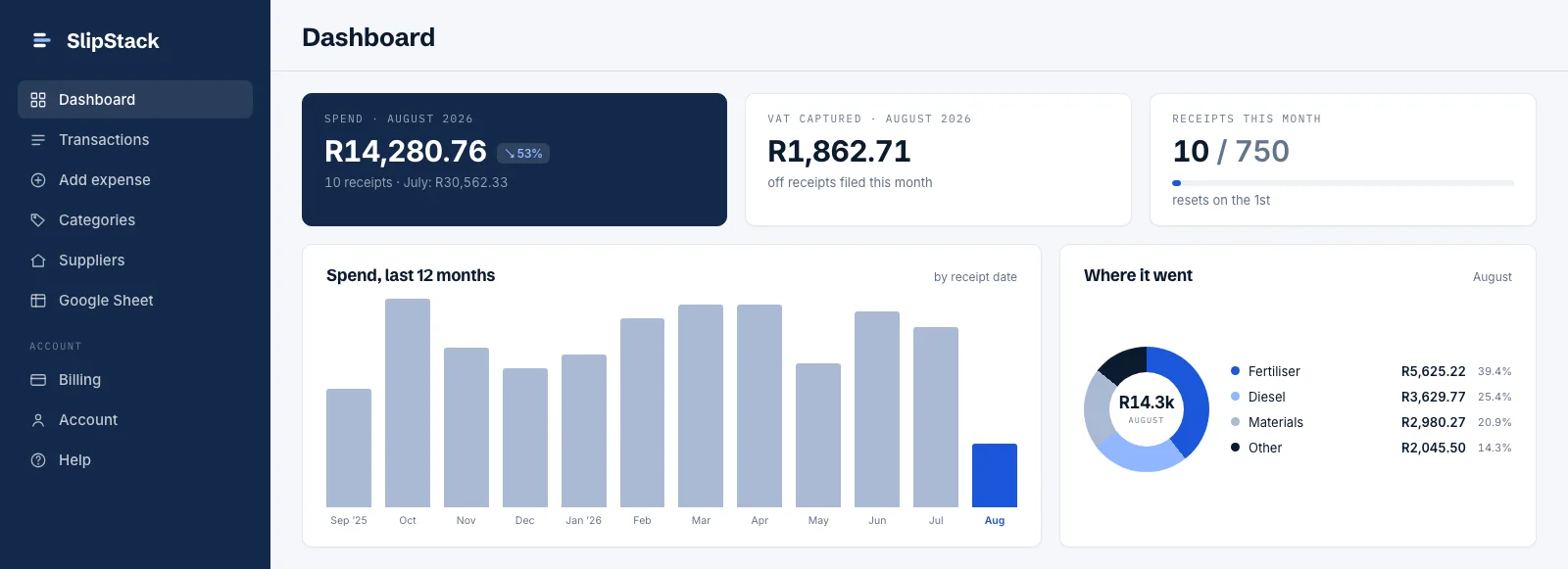
SlipStack portal, sample data.
Onboarding runs the same way every time: you add the client's name, WhatsApp number, email and plan, and SlipStack gives you one setup link to send. All the client approves is their own Google Drive and their accounting connection. Links stay valid for 14 days and can be reissued from the client's page.
Your rate is earned, not negotiated.
Status moves with the number of active clients you're running on SlipStack. There is no application to fill in and no volume commitment to sign — add clients and the rate follows.
| Status | Active clients | Partner rate |
|---|---|---|
| Bronze | 1–4 | 10% |
| Silver | 5–14 | 20% |
| Gold | 15+ | 30% |
SlipStack bills your practice
One consolidated monthly charge to the practice, covering every client you manage, at your partner rate below list. The gap between that and what you charge your client is your margin.
- Your clients never see a SlipStack checkout or invoice.
- You set what the client pays you — bundle it into your fee or bill it as a line item.
- Clients you add go live on their plan straight away — no trial to manage.
- One statement a month, itemised by client, for your own books.
SlipStack bills the client
Your clients pay SlipStack directly at list price and your practice earns the same partner rate as commission.
- No billing admin and no debtor risk on your side at all.
- Clients start on a 14-day free trial and add their own card before it ends.
- You keep the same portal oversight of every client you refer.
- Commission is settled with your practice directly.
Status is counted on active clients and applies automatically as your book grows — nothing to claim. List prices per client, per month: Solo R99 · Starter R199 · Growth R299 · Team R499, each including the Google Sheet cost dashboard. Running a book that doesn't fit the ladder? Talk to us about a fixed rate →
Your client's data stays your client's.
Plainly stated, because you'll be asked. We hold no certifications and don't claim any — here is exactly how the data sits.
Documents live in their Drive
Every slip and invoice is filed to the client's own Google Drive folder, under their own Google account. If you or they ever leave SlipStack, the source documents are already where they belong — there is nothing to export.
Qelo is the responsible party
Qelo, Cape Town, is the responsible party for POPIA purposes and names an Information Officer. Records are kept while an account is active and for five years thereafter, in line with the retention expected of financial records.
Clients you add start opted out
A client you onboard is created opted out of marketing email, because your practice can't give marketing consent on a client's behalf. They can opt in themselves later; until then they only get service messages.
Full detail on POPIA, security practices, retention periods and data-subject rights is published and kept current.
POPIA & security detailsWho connects the client's Xero or Sage?
How are clients onboarded to SlipStack?
What happens to receipts a client sends in a batch?
What does my client actually see?
Can I move a client between plans?
Which accounting systems does SlipStack post to?
What happens if a client stops paying?
Do my clients need to install anything?
Set your practice up in 30 minutes
Getting started is a conversation, not a signup form. We'll set up your partner account, agree how you'll bill, and get your first clients onboarded properly.
Book a 30-minute callRather email? ross@slipstack.co.za — Ross reads every one personally, usually a reply the same day.